
Built for Every Work Mode .
Support remote, hybrid, and on-site teams with a flexible work management system that keeps employees productive and managers informed.
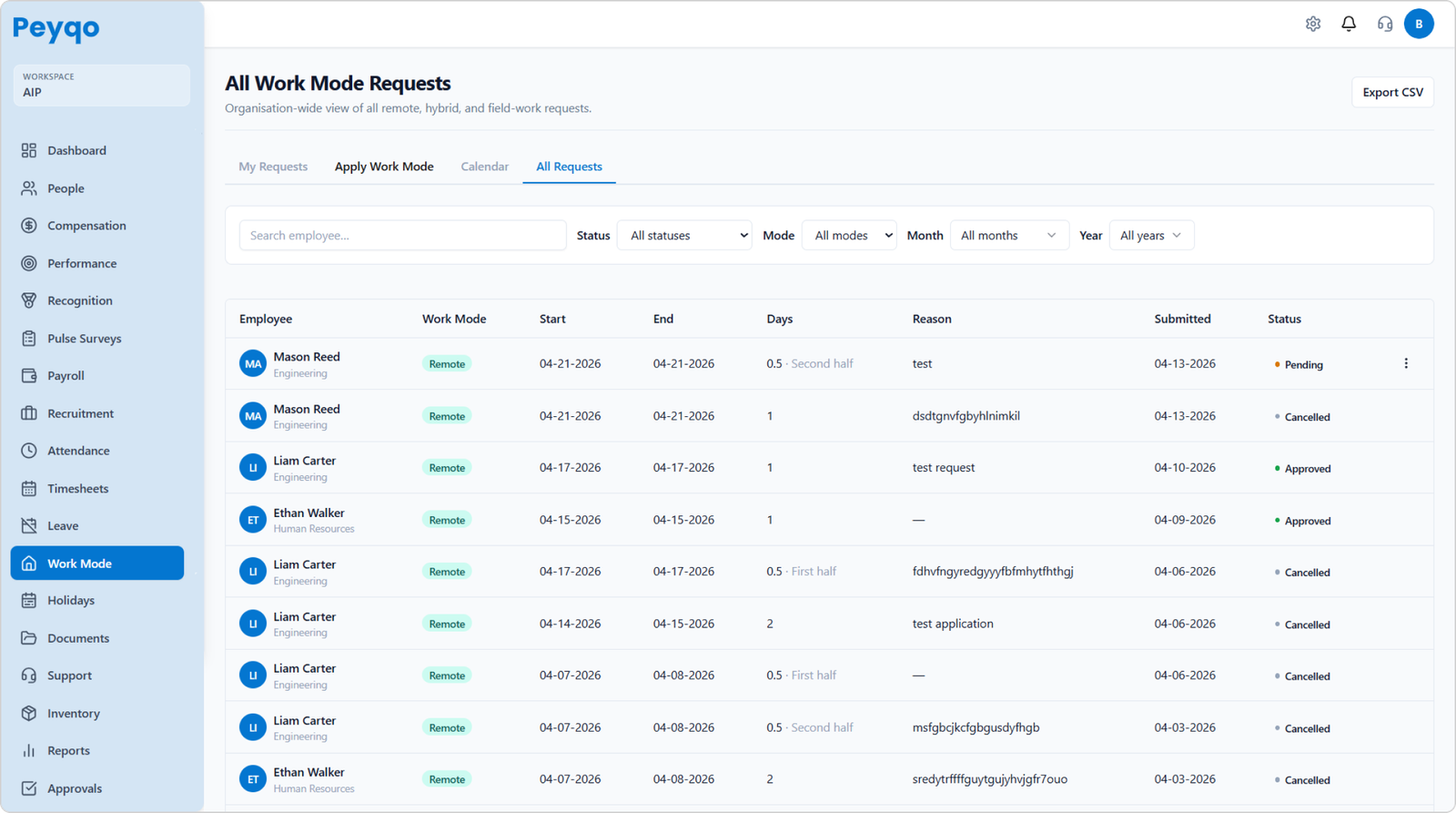
WORK MODE REQUESTS & APPROVALS
Structured Work Flexibility for Teams
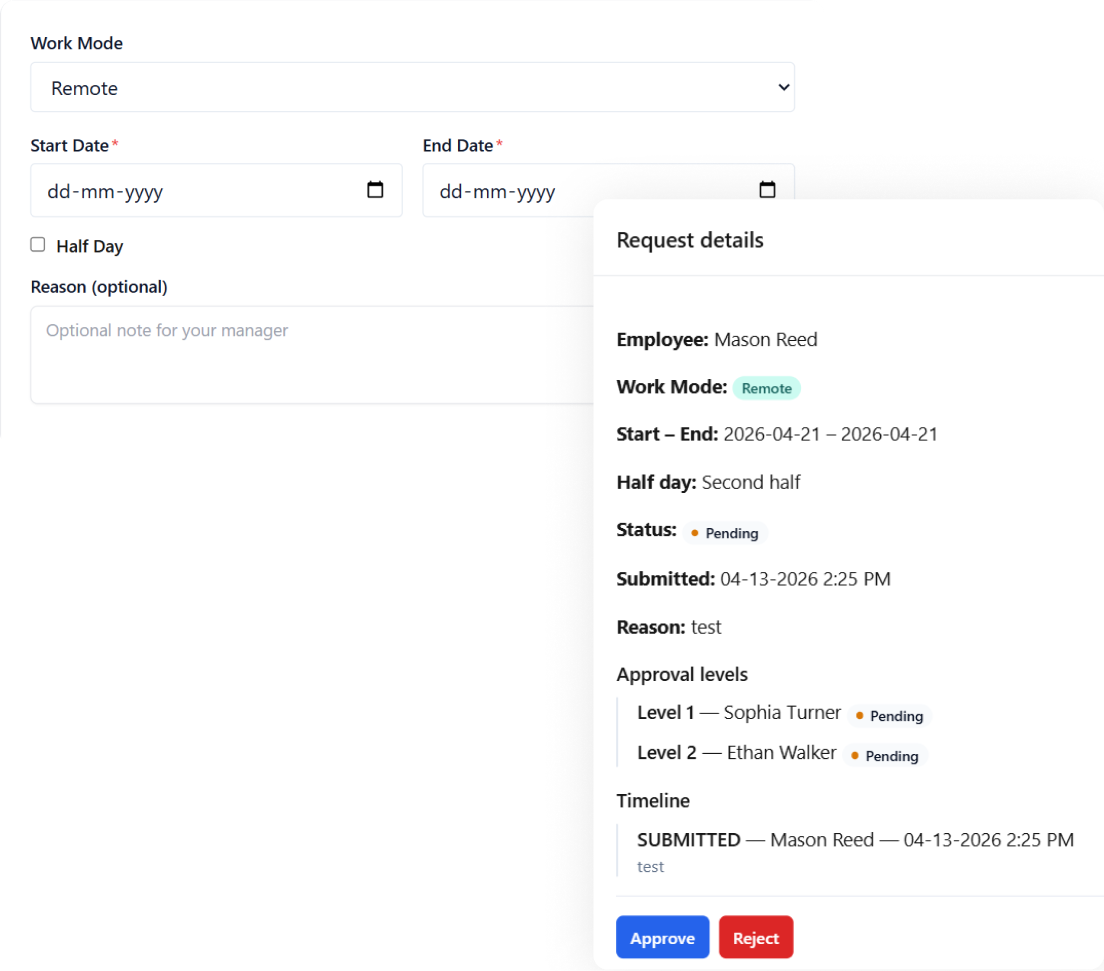
Manage remote, hybrid, and on-site work through a structured approval workflow instead of manual coordination.
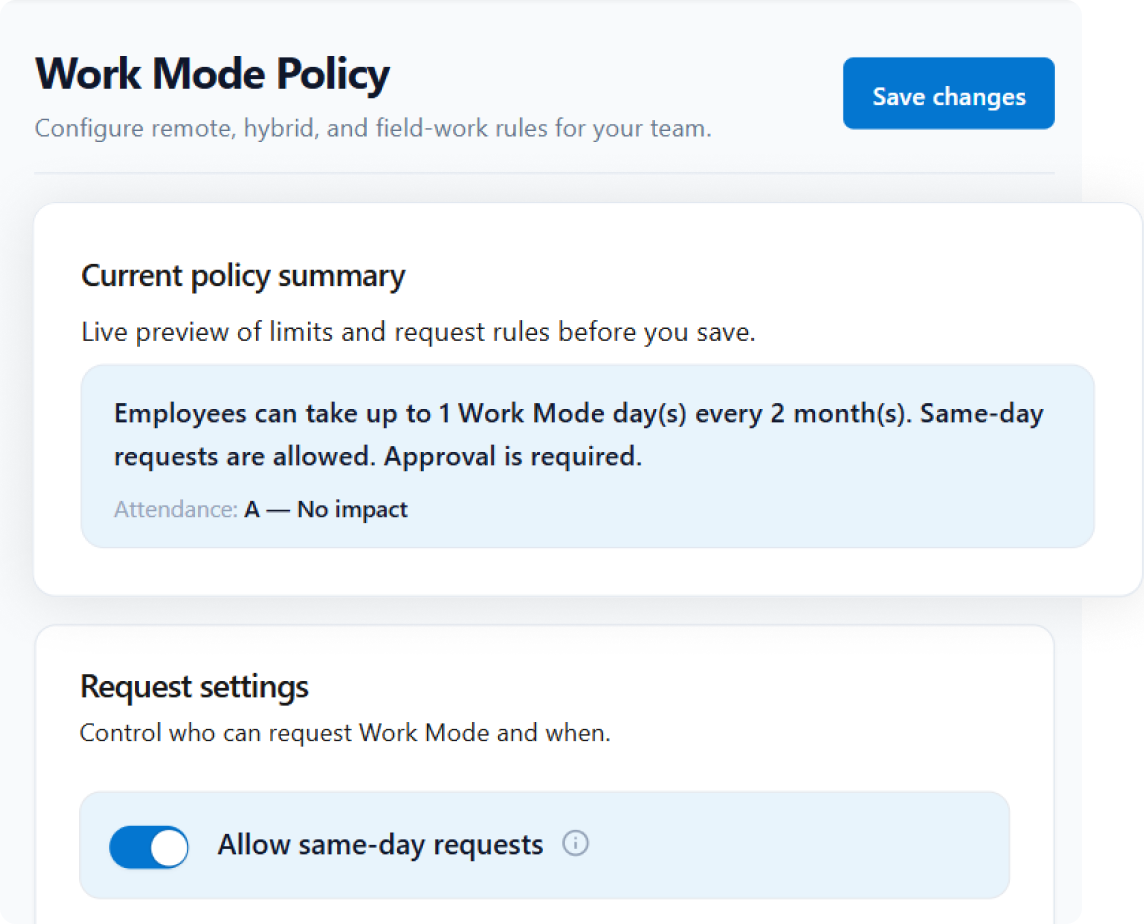
POLICY-BASED RULES
Build Work Mode Policies Your Way
Create flexible work policies based on business requirements while Peyqo handles policy enforcement automatically.
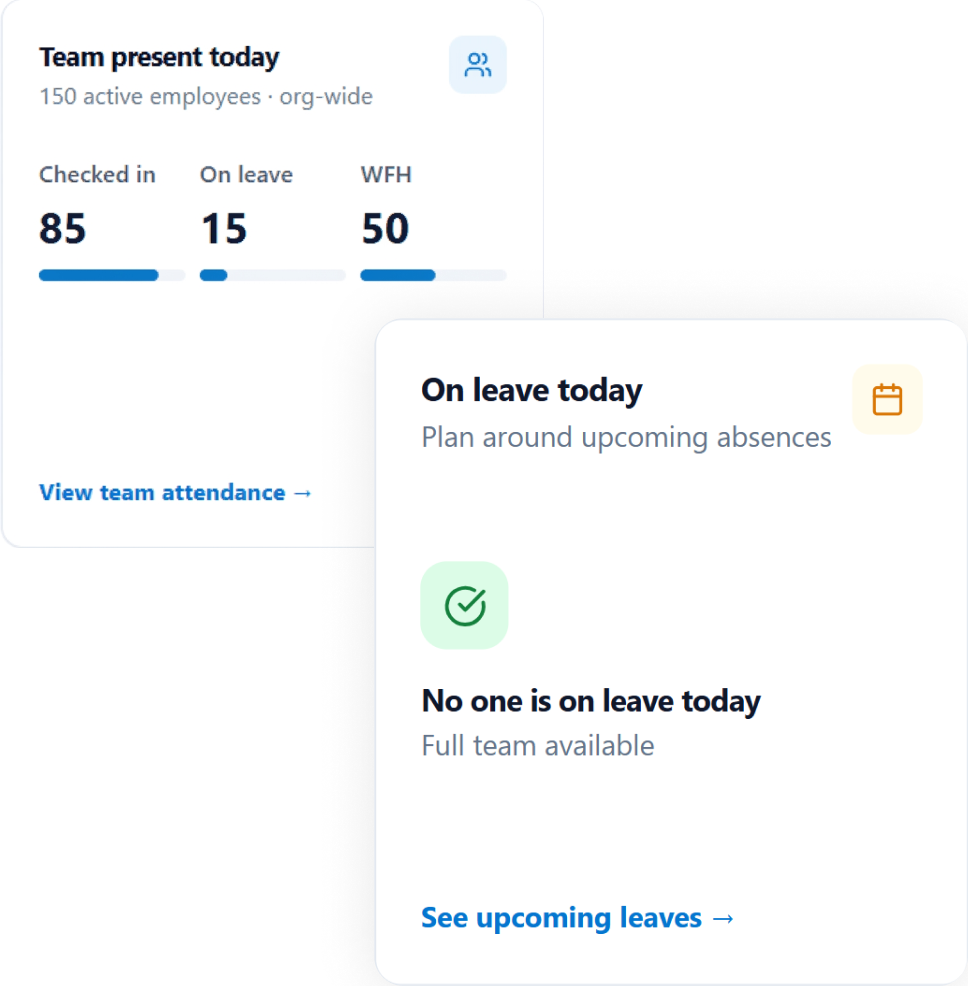
TEAM AVAILABILITY VIEW
Get Complete Visibility Into Team Availability
Track who is working remotely, on-site, or on leave with a centralized team work mode calendar.
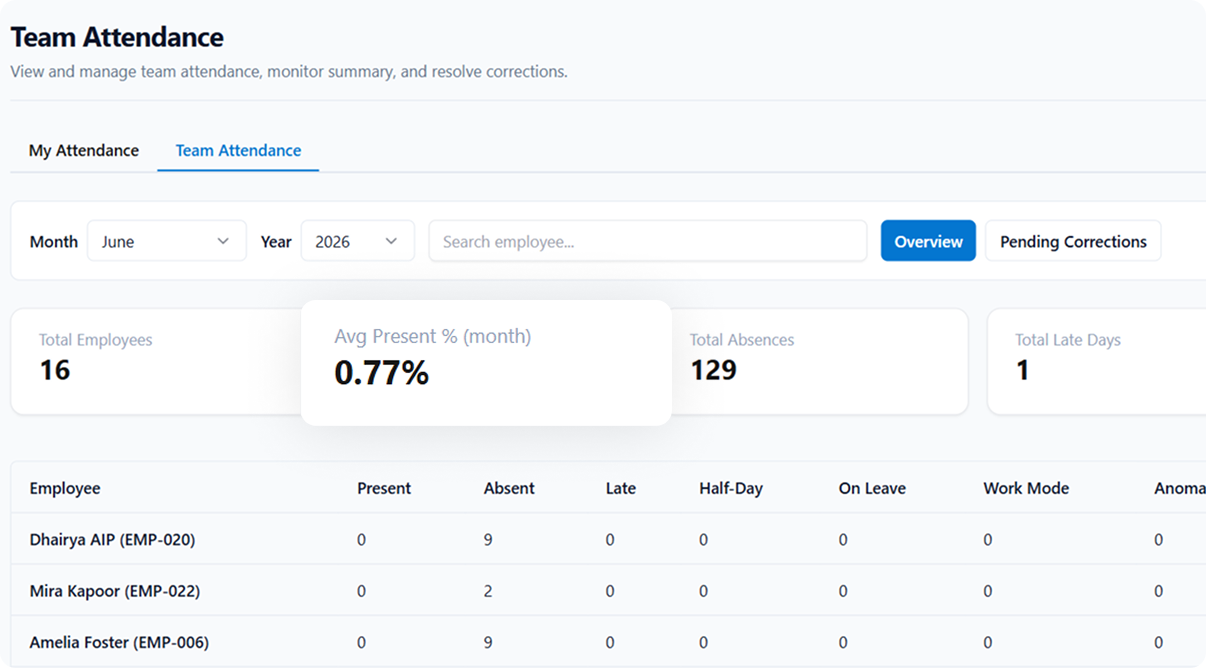
ATTENDANCE INTEGRATION
Sync Work Modes With Attendance and Payroll
Automatically connect work mode data with attendance tracking, shift management, and payroll processing.
Frequently Asked Questions
How do employees request to work from home?
Employees raise a work mode request for a specific day or a recurring schedule, and it routes to their manager for approval. Auto-approval rules can clear routine requests based on role and policy, so managers only review the exceptions.
Can we limit how many days someone works from home?
Yes. Work-from-home limits can be set by role, team or grade, with eligibility rules by department. Peyqo validates each request against the policy as it is submitted, so out-of-policy requests are caught immediately rather than after the fact.
Can we require everyone to be in the office on certain days?
Yes, using blackout dates. Those days are excluded from work mode requests, which is how teams handle mandatory in-office days, audits, client visits or team events.
Does work mode affect attendance and payroll?
Yes. Work-from-home days are marked accurately in attendance records, shift and attendance rules apply automatically, and payroll reflects the actual arrangement. Remote days do not need to be reconciled by hand.
How do managers see who is working where?
A daily and monthly team calendar shows work modes across the team, filterable by team or department, with work-from-home and in-office attendance insights alongside.
Ready to Replace Your HR Toolkit With One Powerful Platform?
Join hundreds of organizations that have simplified HR, payroll, and people management with Peyqo.